WhatsApp infrastructure.
Already handled.
Connect your applications to WhatsApp.
Send messages. Receive events. Keep everything in view.
Available by invitation.
Your application handles business logic.
WapKit handles WhatsApp.
Bookings, orders, reminders, internal tools. Give each application a project, then use one consistent infrastructure layer.

Every project.
A clear picture.
Its own connection, messages, contacts, templates, webhook destination and API keys. Switch context without losing the thread.
Know where you stand.
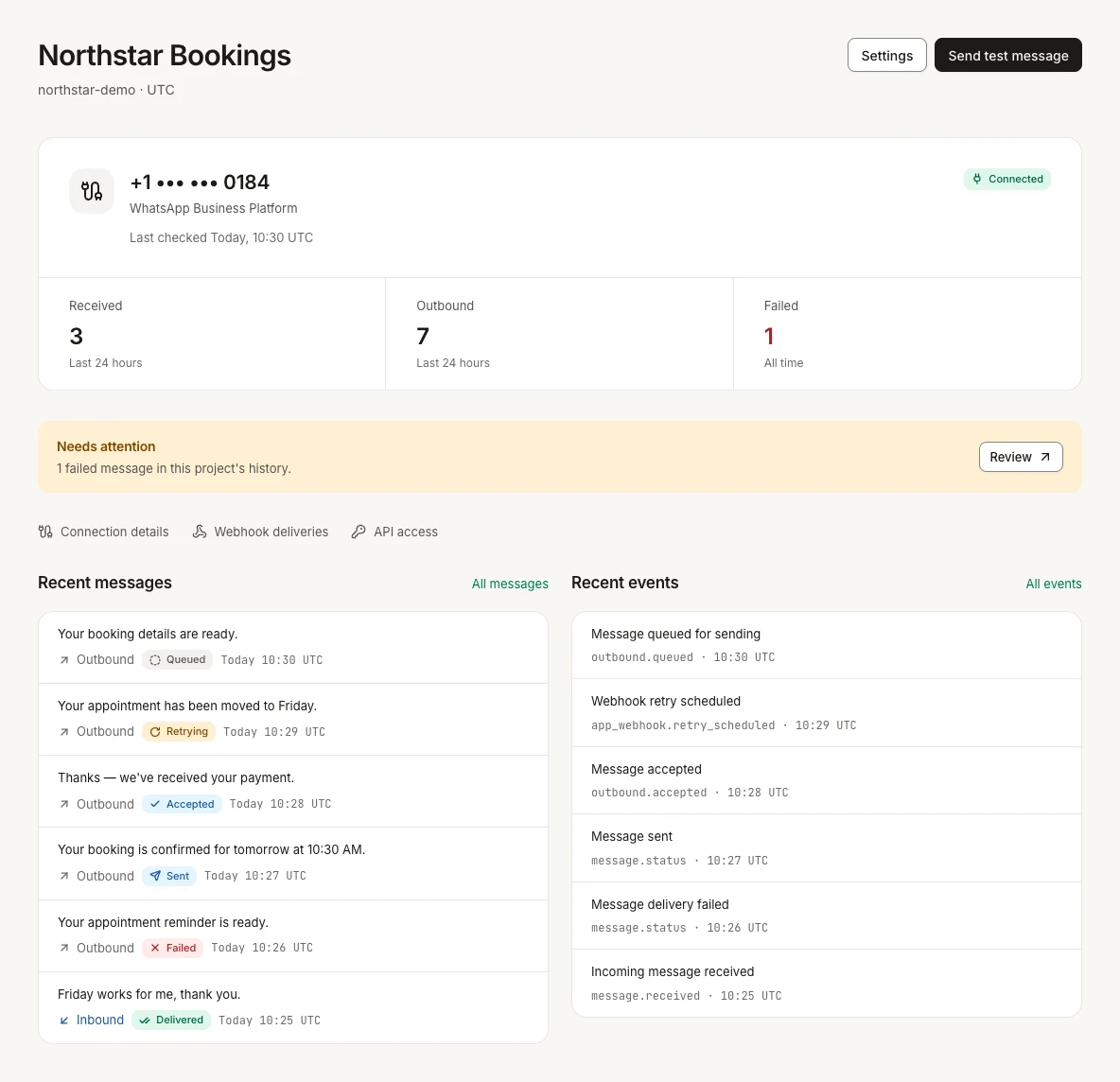
Connection health comes first. Recent activity and failures stay close, with the details a click away.
- WhatsApp connection and last check
- Incoming and outgoing messages
- Failures that need a closer look
From sent
to understood.
Follow messages in both directions. See what arrived, what was read and what failed, with the delivery history behind each state.
The provider accepts your message.
WapKit records the request and its provider reference.
Illustrative delivery sequence. The console always shows the status actually reported.

Actual WapKit interface with fictional demonstration data. Read status is available when WhatsApp reports a read receipt.
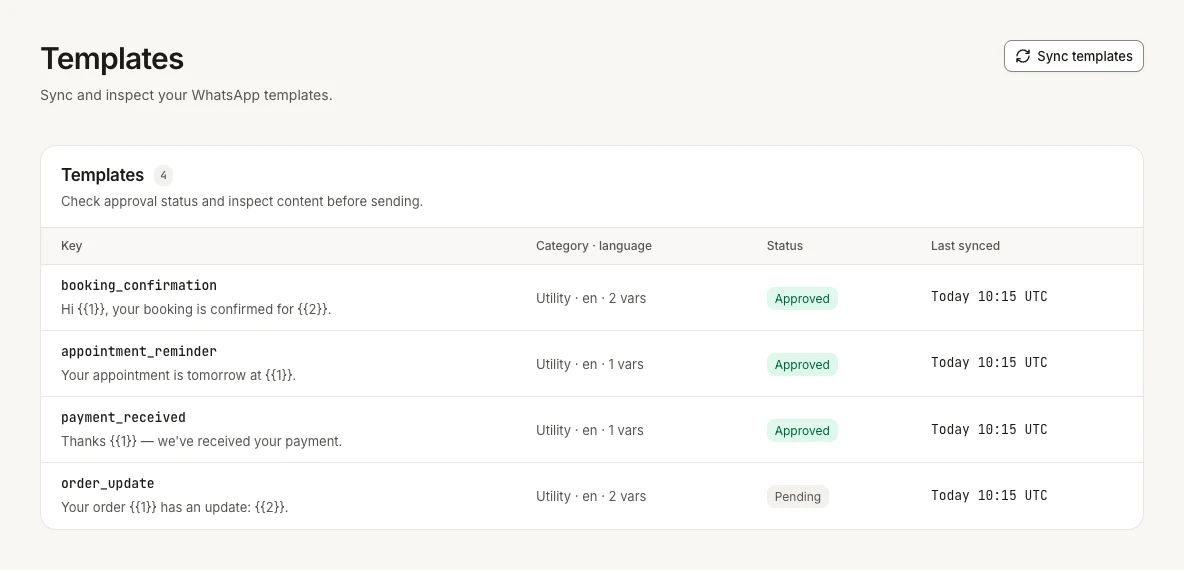
Templates,
ready for the next send.
Check approval status, inspect content and sync the latest templates.
Events that reach
your application.
Incoming messages and delivery updates become signed webhooks. Inspect deliveries, attempts and retry state in one place.

Your app expresses intent.
We handle the infrastructure.
A project API key. A simple HTTP request. Send text and approved templates using the API your application can call today.
Free-form text requires an open 24-hour WhatsApp service window. Use an approved template outside it.
Open API reference in the consoleHTTPcurl -X POST "https://api.example.com/api/v1/messages/text" \
-H "Authorization: Bearer wk_demo_••••••••" \
-H "Content-Type: application/json" \
-H "Idempotency-Key: demo-booking-confirmation" \
-d '{"to":"+15550001234","text":"Your booking is confirmed for tomorrow at 10:30 AM."}'Example host, masked key and fictional recipient. Replace them with your own values.
The details
that earn trust.
Infrastructure should make what happened easier to see.
- Encrypted credentials
- Provider credentials are encrypted at rest. API key secrets are shown only at creation.
- Signed webhooks
- Your application can verify that events came from WapKit.
- Delivery history
- Message status and webhook attempts stay available for troubleshooting.
- Retries and idempotency
- Retryable webhook failures are scheduled again. Idempotency keys protect repeated send requests.
Build your product.
We’ll connect the messages.
WapKit is currently available by invitation.
Request access Already have access? Sign in